





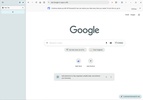


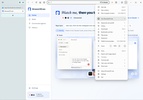
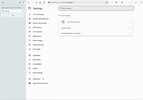



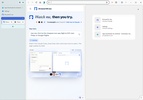

BrowserOS Neo is an open-source web browser for Mac that allows AI agents to interact with web pages through authenticated browsing sessions. It's designed to connect AI tools to a standalone browser where they can visit websites, gather information, fill out forms, and perform various online tasks. On top of that, you can monitor agent activity and review their sessions while continuing to use your regular browser for other tasks.
Connect your AI tools
BrowserOS Neo lets you connect agents that support the MCP protocol, which enables communication between apps and AI systems. Compatible tools include Claude Code, Codex, Cursor, and other supported agents. Once connected, these agents can use the browser to access websites and perform the actions needed to complete their tasks. The interface also simplifies the process of setting up common integrations, eliminating the need to manually edit configuration files when supported.
Use your existing browser sessions
One of BrowserOS Neo's standout features is its support for authenticated sessions. This allows agents to access services you're already signed in to, provided the integration and permissions allow it. You can also import sessions from Chrome, making it easier to use existing accounts to automate tasks involving emails, online documents, information searches, and form submissions. When using personal or work accounts, it's important to review the permissions you grant and the actions you allow each agent to perform.
Delegate multiple web tasks simultaneously
BrowserOS Neo lets you coordinate multiple agents so they can browse simultaneously, each using its own tabs. For example, you can assign one agent to gather information from several websites, another to access an online service, and a third to handle a different task. This setup lets you distribute work across multiple AI processes without waiting for one to finish before starting another. Everything runs in a separate browser, so you can carry on with your usual activities on your Mac while monitoring automated tasks.
My thoughts after trying BrowserOS Neo
I think this is an interesting option for anyone who uses AI agents and wants them to do more than just answer questions or generate text. Connecting these tools to a browser and letting them interact with websites opens up opportunities to automate tasks that would normally require manual browsing, especially when those tasks involve services that require you to be signed in. I also find it useful to be able to distribute work among multiple agents and review their sessions in a separate environment. That said, you'll need compatible AI tools and some time to configure the connections to get the most out of it. Also, when agents work with your accounts, it's important to monitor their permissions and check what they are doing. Overall, I think this tool has potential for anyone looking to automate web workflows on macOS with AI.
The best and worst things about BrowserOS Neo
• What I liked most is that it lets you connect AI agents to authenticated browsing sessions and distribute different web tasks among multiple agents.
• What I liked least is that it requires compatible agents and some initial setup. You also need to pay close attention to security when using personal or work accounts.
Download BrowserOS Neo for Mac for free and connect your AI agents to a standalone browser to automate web tasks, access services through your existing sessions, and monitor each agent's activity.
BrowserOS Neo is for you if
✓ You need AI agents to access websites through your authenticated browsing sessions
✓ You value connecting compatible AI tools with simpler integration setup
✓ You can delegate web tasks to multiple agents and monitor their activity separately
































Comments
There are no opinions about BrowserOS Neo yet. Be the first! Comment