





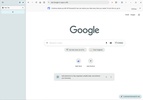


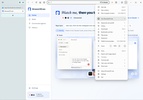
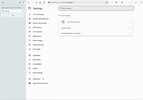
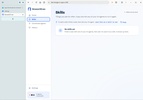


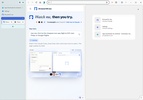

BrowserOS Neo is an open-source web browser designed for artificial intelligence agents to browse the Internet and perform tasks using your real user sessions. This will allow you to connect your AI tools so that they can open pages, browse websites, read information, and interact with forms from an independent browser. You will also be able to automate web tasks while continuing to use your regular browser normally, with the ability to supervise the agents' actions and review their sessions afterward.
Connect your artificial intelligence agents
BrowserOS Neo allows you to connect AI agents compatible with the MCP protocol, facilitating communication between tools and artificial intelligence models. You will be able to integrate it with solutions such as Claude Code, Codex, Cursor, and other compatible agents, enabling them to use the browser when a task requires accessing web pages. The connection can be configured directly from the interface, without you having to manually edit configuration files for the integrations you routinely perform.
Browse with your usual sessions and accounts
This browser is designed so the agents can work with authenticated sessions. This way, you will be able to import your sessions from Chrome and allow agents to access services where you already have an account, always within the configured permissions and sessions. This will expand your automation possibilities for tasks such as managing emails, working with online documents, looking up information, or filling out web forms.
Run multiple tasks in parallel
BrowserOS Neo allows different agents to work simultaneously, each with their own browsing tabs. For example, you can task an agent with researching information across multiple pages while another works with your email and a third searches data from another service. Being able to organize things this way will help you distribute tasks among the agents without having to perform them sequentially or interrupting your own browsing.
My thoughts after trying BrowserOS Neo
BrowserOS Neo seemed like an interesting option for those who use artificial intelligence tools and want to go beyond simple text responses by allowing agents to interact directly with web pages. What caught my attention the most is the ability to connect it with your AI tools and use your real browsing sessions to work with services that require logging in. Overall, I found it to be a tool with considerable potential for automating web tasks and expanding the possibilities of AI assistants, especially for users who already work regularly with these types of tools.
The best and worst things about BrowserOS Neo
• What I like the most is that it allows you to delegate web tasks to AI agents using real sessions and run multiple tasks at once.
• What I like least is that it requires compatible AI agents and an initial setup, plus the fact that using authenticated accounts means it's especially important to pay attention to the assistants' permissions and actions.
Download BrowserOS Neo for free and connect your artificial intelligence agents to automate web tasks, work with your usual sessions, and monitor every step from your PC.
BrowserOS Neo is for you if
✓ You need an open-source browser that lets compatible AI agents navigate and interact with websites
✓ You value using your existing Chrome sessions to automate tasks across authenticated services
✓ You thrive on parallel web tasks while supervising agents and reviewing their sessions

































Comments
There are no opinions about BrowserOS Neo yet. Be the first! Comment